


Key takeaways
No single coffee app does everything — the trick is picking one per obsession.
Cuppd for finding beans, Beanconqueror for brew data, Filtru for guided brewing, European Coffee Trip for cafés, Roastmaster for roasting.
Four of the five are completely free, and none of them needs a subscription to be useful.
The best setup is two apps that don't overlap: one to find the coffee, one to brew it well.
Questions this article answers
What is the best free coffee app?
Is there an app that tracks coffee beans and brews?
What coffee app do professionals use?
Which coffee app is best for finding cafés while travelling?
There is no such thing as a single coffee nerd. There's the one who owns four brewers and a refractometer. The one who plans holidays around cafés. The one whose kitchen smells permanently of a roast that went slightly too far. Same hobby, completely different phone.
Which is why "what's the best coffee app" is the wrong question. The apps that are genuinely great are each great at one thing, and hopeless outside it. So here are five, one per obsession — and the two-app combinations that actually make sense together.
| Obsession | App | Price | Platforms |
|---|---|---|---|
| Finding and rating beans | Cuppd | Free | Web + iOS |
| Logging brew data | Beanconqueror | Free, open source | iOS + Android |
| Guided brewing | Filtru | Free | iOS |
| Café hunting in Europe | European Coffee Trip | Free | iOS + Android |
| Roasting your own | Roastmaster | Free | iOS |
Cuppd — for finding the coffee in the first place
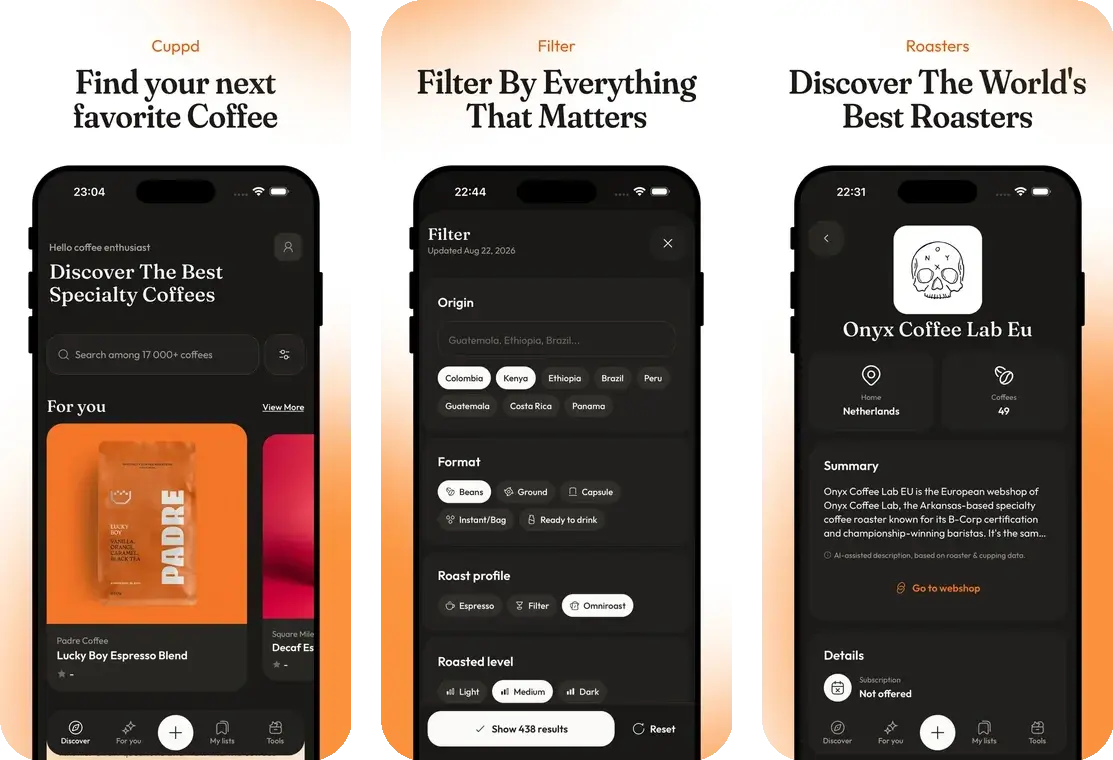
Every other app on this list assumes you already have coffee. This is the one that solves the step before: 24,814 coffees from 936 roasters across 56 countries, in one searchable place, instead of thirty browser tabs and a vague memory of a roaster somebody mentioned on a podcast.
The number that makes it useful, though, isn't the big one. It's 16,646 — how many of those coffees were confirmed in stock this week. Cuppd re-checks live product pages and marks what's sold out, so you can hide unavailable bags and search only what you can actually buy. Falling for a Gesha that ran out in March is a specific kind of heartbreak, and it's an avoidable one.
Fun fact
56 countries' worth of roasters. There is a genuinely good specialty roaster in places you would not think to look — the catalog has more of them in Portugal than most people could name in Italy.
Then there's the filtering, which is where the nerd payoff lives. Eleven dimensions: origin, process, variety, roast level, flavour note category, format, brew method, decaf only, single origin versus blend, roaster country, and in-stock. If you want a naturally processed Kenyan, whole bean, light roast, from a German roaster, that's a filter combination rather than an afternoon.
The one people don't expect is ships to me. Roasters carry their own shipping destinations, so you can hide every roaster that won't post to your country — the most tedious part of buying coffee online, handled.
You rate what you drink, save lists, and get a For You feed that stops recommending the washed Ethiopians you keep ignoring. It's free, there's no subscription, and it runs in a browser — so you can try the entire catalog at cuppdcoffee.com before deciding whether the iOS app earns a home screen slot. What it won't do: scan a bag with your camera, log your grind setting, or exist on Android yet.
Beanconqueror — for logging absolutely everything
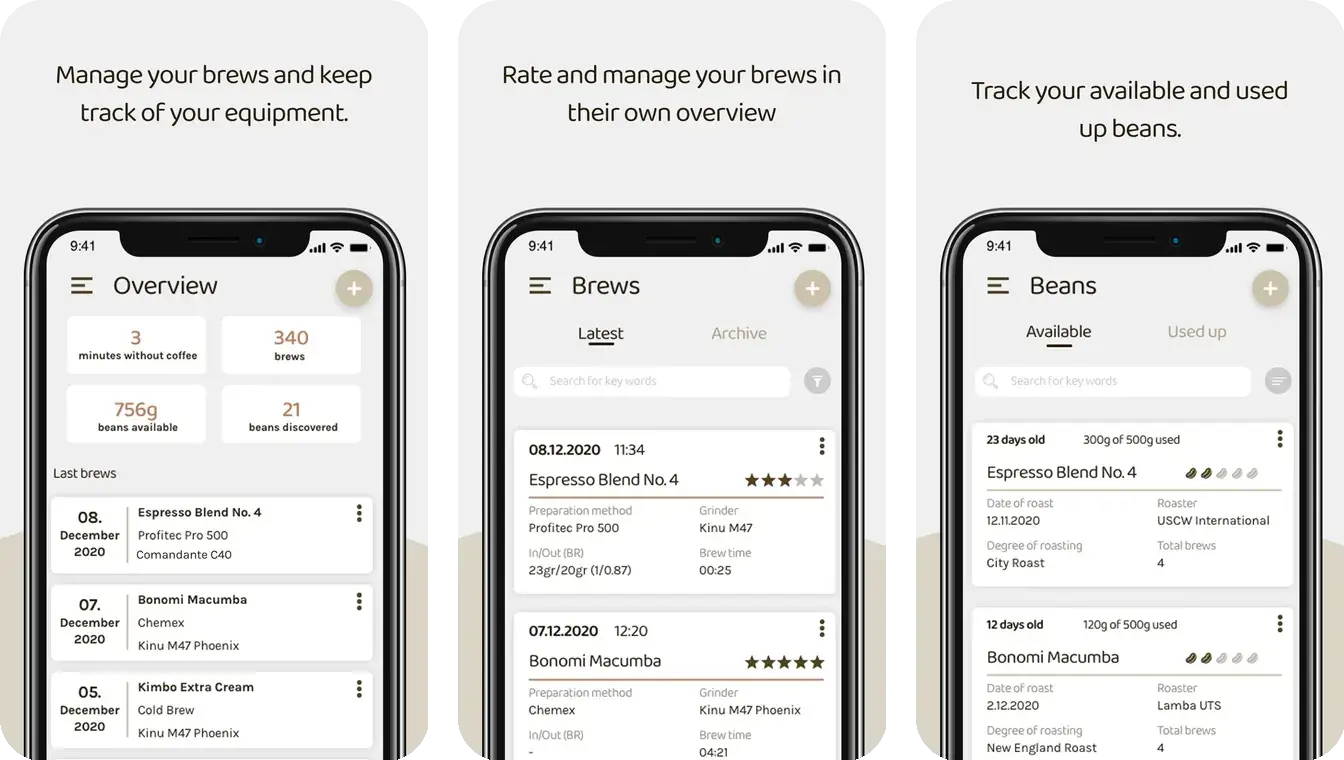
If your coffee hobby has crossed into spreadsheet territory, Beanconqueror is where it belongs. It logs 30+ parameters per brew — dose, yield, time, grind setting, water temperature, even water chemistry — and turns them into statistics and graphs that will tell you, unsentimentally, that your best cup happened by accident.
The gear support is the real flex. Bluetooth scales from Acaia, Felicita, Timemore, Decent and a dozen more; pressure sensors; smart portafilters from Sanremo, Xenia and Meticulous; thermometers and refractometers. Your kit talks to the app and the numbers land on their own.
Refractometer: a small device that measures how much dissolved coffee is actually in your cup. It turns "this tastes a bit weak" into a number you can chase.
It's free, open source, ad-free, GDPR-clean, developed in Germany by Lars Saalbach and funded by donations — and it holds a 4.9 rating from 139 App Store ratings, which for an app this niche is a small standing ovation. James Hoffmann has recommended it, which is roughly the coffee equivalent of a Michelin star.
The trade-off is obvious the moment you open it: the interface is dense, the learning curve is real, and it has no interest whatsoever in helping you discover new coffee. It's a laboratory notebook, not a shop.
Filtru — for actually getting better at brewing
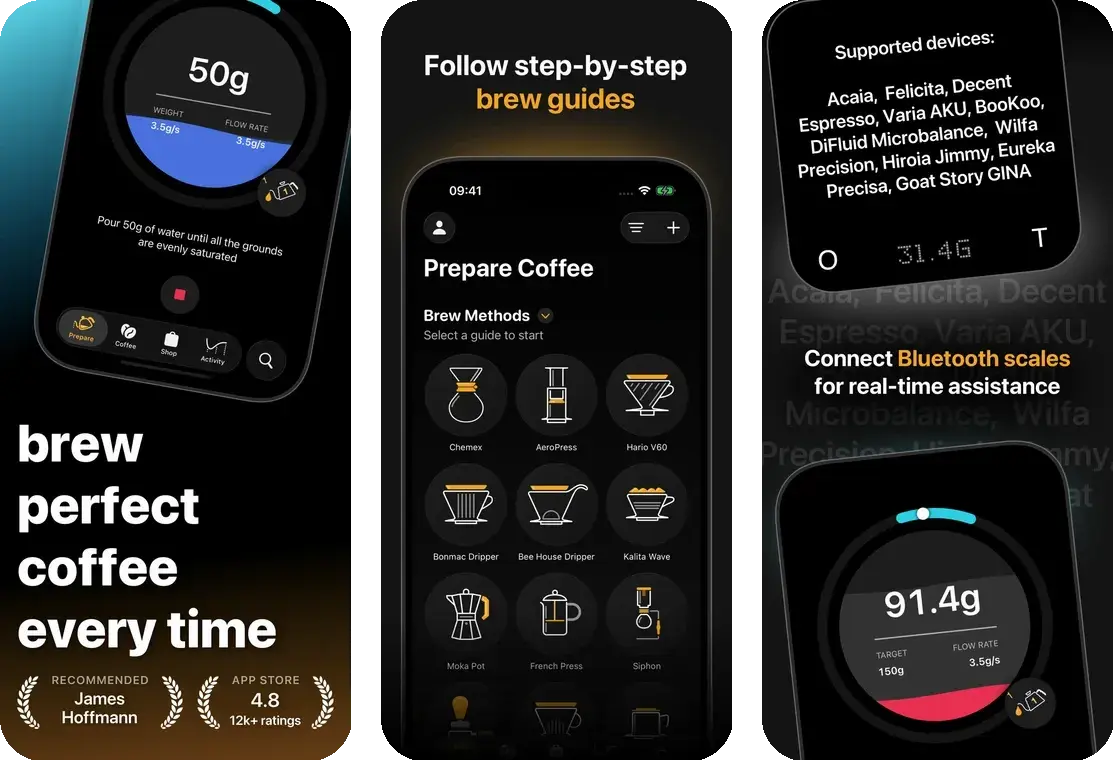
Where Beanconqueror records what you did, Filtru tells you what to do next. It runs guided, step-by-step brew timers across 15 methods — V60, Chemex, AeroPress, French press, espresso, siphon, moka pot, Turkish — so instead of squinting at a recipe on a laptop with wet hands, you follow prompts.
It connects to 14+ Bluetooth scales and draws live brew graphs of weight and flow rate, keeps a searchable journal of every brew, tracks espresso shots, scans bags, and has unusually good accessibility support including full VoiceOver. It's been in development for about a decade by Spirograph Limited, and it shows.
It also has, by a distance, the most credible ratings in this roundup: 4.8 stars from 3,770 App Store ratings in the US alone. That's not a niche tool with a devoted handful of fans — that's a lot of people brewing better coffee. It's free, and the only real catch is that it's iOS only.
European Coffee Trip — for drinking coffee that isn't yours
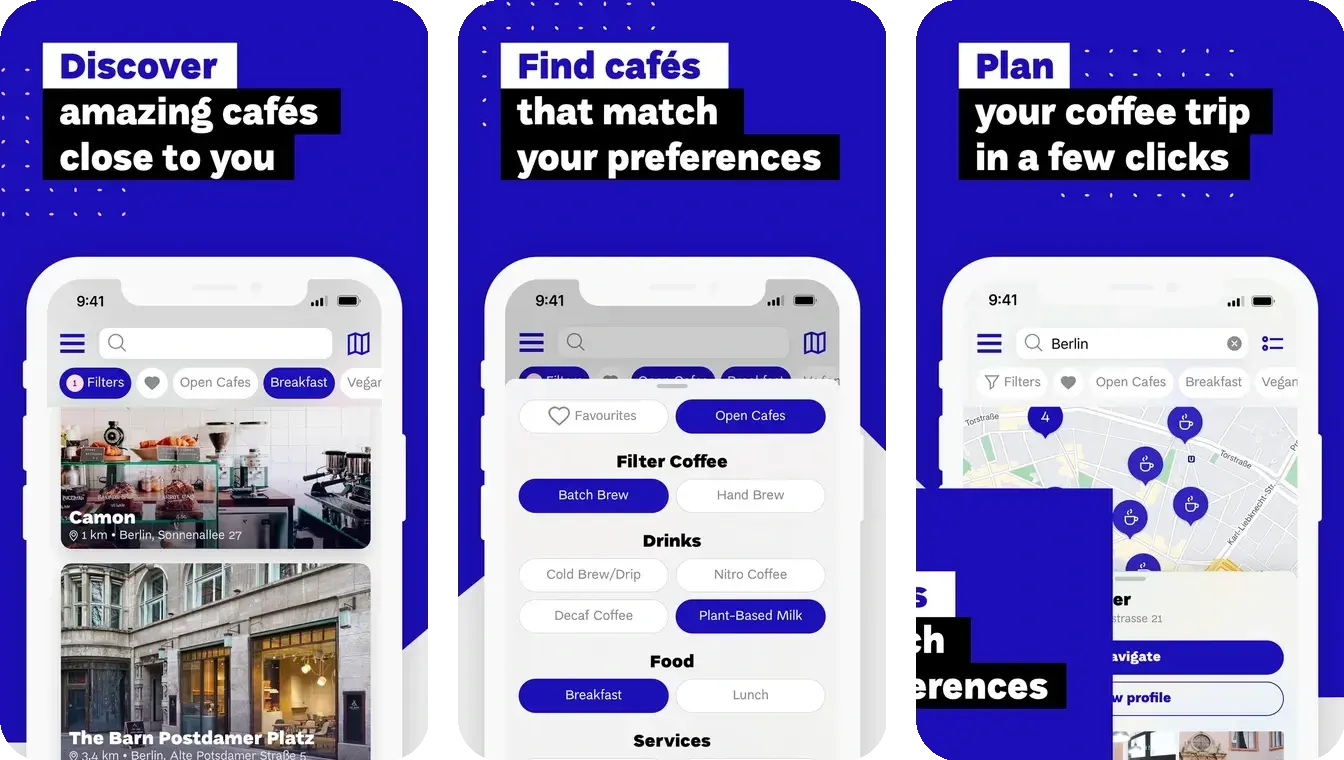
Every other app here is about coffee you make. European Coffee Trip is about coffee somebody else makes, ideally in a city you've never been to. It's a hand-curated map of over 6,000 specialty cafés across 39 countries, from capitals down to villages that shouldn't statistically have a good espresso and somehow do.
The detail that makes it a travel app rather than a novelty: the database is stored offline on your phone. No signal, no roaming, no problem — you can still find the one good café within walking distance. Add filters, photo galleries and proper café profiles, and it beats searching "specialty coffee near me" and trusting whoever bought the most reviews.
It's free, on iOS and Android, from the ECT media team behind the long-running site and YouTube channel. The obvious limit is in the name: Europe only. If you're travelling further, you're back to asking a barista where they drink on their day off — still the highest-yield algorithm in coffee.
Roastmaster — for when you've started roasting
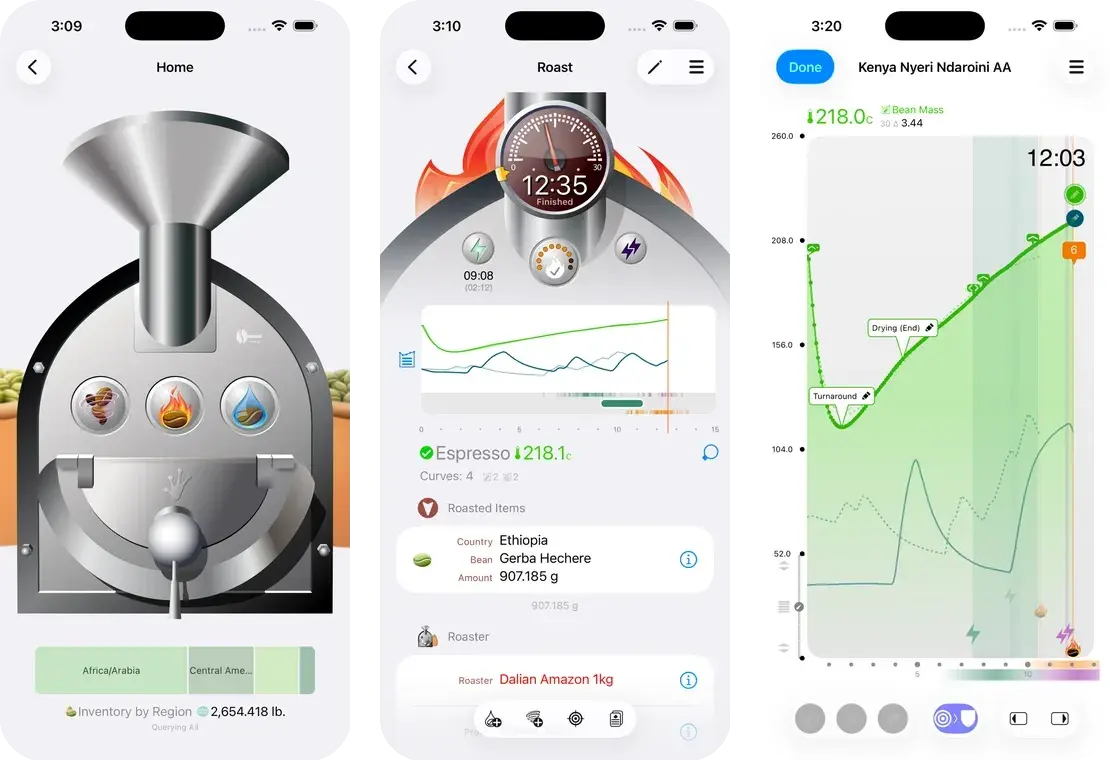
There is a point in this hobby where buying roasted coffee stops being enough and a popcorn machine starts looking like equipment. Roastmaster is what you graduate to: interactive roast logs, profile curves, green bean inventory tracked by origin, harvest, lot and moisture, cupping scores with spider graphs, and reports comparing drying time, development percentage and moisture loss across roasts.
Development percentage: how much of the roast happens after first crack, as a share of total time. It's one of the main levers between a sour cup and a balanced one.
Connect thermocouples and it logs temperature curves automatically, which turns roasting from guesswork with a stopwatch into something you can repeat on purpose. It's built by Rainfrog and aimed as much at small commercial roasteries as at home roasters — the newer inventory planning features are squarely business tools.
It's now free on iOS, with paid in-app purchases for the advanced data logging. Its 3.9 rating from 32 ratings is the lowest here, which reflects both the complexity and the fact that it's built for a demanding minority. If you don't roast, skip it entirely. If you do, nothing else on iOS comes close. Roasting at a computer instead? Artisan is the free, open-source desktop standard.
Which two should you actually install?
Five apps is four too many. These pair up better than they stand alone:
- Cuppd + Beanconqueror — the classic: find the bag, then dial it in. One app knows what exists and what's in stock, the other knows what you did with it. Almost no feature overlap.
- Cuppd + Filtru — the upgrade path: if you're still figuring out ratios, Filtru's guided timers will improve your coffee faster than any grinder purchase, and Cuppd keeps the beans interesting.
- European Coffee Trip + Cuppd — the travel combo: drink it at the café, then use the ships-to-me filter to work out whether that roaster will post a bag home. This one is genuinely underrated.
- Roastmaster + Cuppd — the deep end: roast your own, and use the catalog to keep tabs on what the professionals are releasing and how they describe it.
If your interest leans towards catalogs and tasting notes rather than brew data, there's a separate comparison of the apps competing directly on that — Cuppd, Roastguide, Siip and Coffi — in our coffee tracking app comparison.
Pick the obsession that describes you best and install that one first. The rest of the hobby will find you soon enough — it always does.